
Save online audio and video for free
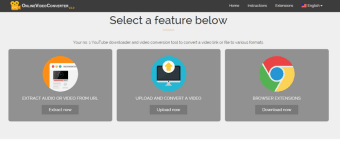
OnlineVideoConverter is a free online video conversion website and tool that allows users to convert online videos to a number of audio and video files types. Designed for use right in your browser, OnlineVideoConverter is compatible with all operating systems and browsers, including Safari, Chrome, Firefox and many more. For users who wish they could save the audio or completely rip the video from a Youtube, DailyMotion or other online video sites, it offers a simple and practical solution that is easy to use.
Top Recommended Alternative

Save online audio and video
If you’ve ever come across an online video you just couldn’t get enough of, odds are you wish you could have saved a copy just for you. This happens a lot when using YouTube as a source for music—sometimes those songs aren’t available anywhere else. In cases like these, OnlineVideoConverter can extract the audio directly from the video and save it to your hard drive with just a few clicks. Furthermore, it can actually save the entire video just as easily. By copying the URL of the video and pasting it into the designated address box, all it takes is one click to convert a video to almost any audio or video file type, including MP3, MP4, WAV, M4A and more.
Anyone can do it
OnlineVideoConverter is so simple and easy to use that anyone can perform a simple audio or video rip from their browser without the need to download additional software. All it takes is one click and it’s done.






.png)